Large-scale Subdomain Enumeration via ASN
Using Autonomous Systems and port scanning to enumerate subdomains at scale.
Table of Contents
- Introduction
- TL;DR
- What is an ASN?
- Methodology
- Getting the target's ASN
- Pulling all possible IPv4 addresses from the AS CIDRs
- Port scanning with masscan
- Turning numbers into names
- What now?
- Heads up!
Introduction
Hey there. Today we're going to walk through one of the many subdomain enumeration techniques that KATRINASEC operators use during large-scale Bug Bounty engagements — the goal being to expand the attack surface and uncover specific technologies running deep inside an organization's perimeter.
TL;DR
Subdomain enumeration is one of the foundational steps of recon in pentesting, red team operations, bug bounty, and similar offensive activities. There are plenty of techniques and tools that yield solid results.
We'll use AT&T's Bug Bounty program as a real-world example to walk through the full methodology end to end.
What is an ASN?
An Autonomous System (AS) can be thought of as a network or a group of networks that make up the Internet. Each AS has its own routing policy, controls specific blocks of addresses (CIDRs), and has its own identification number — what we call an ASN.
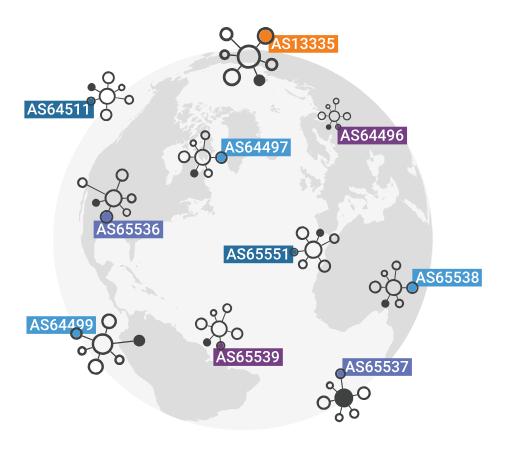
These days, plenty of organizations operate their own AS, while others rely on third-party AS to host their services. In this methodology we'll focus on organizations that own their AS.
Methodology
ASN
 └─► RADB Whois ──► ranges.txt (CIDRs)
       └─► Masscan ──► masscan.gnmap (IPs with open ports)
             └─► awk ──► hosts (list of IPs)
                   └─► dnsx (PTR lookup) ──► subs-hosts.txt (hostnames)
                         └─► [Next recon stages]
Getting the target's ASN
There are multiple ways to figure out your target's ASN. We use the Hurricane Electric Internet Services website and search by the target domain — in our case, att.com.
https://bgp.he.net/dns/{target-domain}#_ipinfo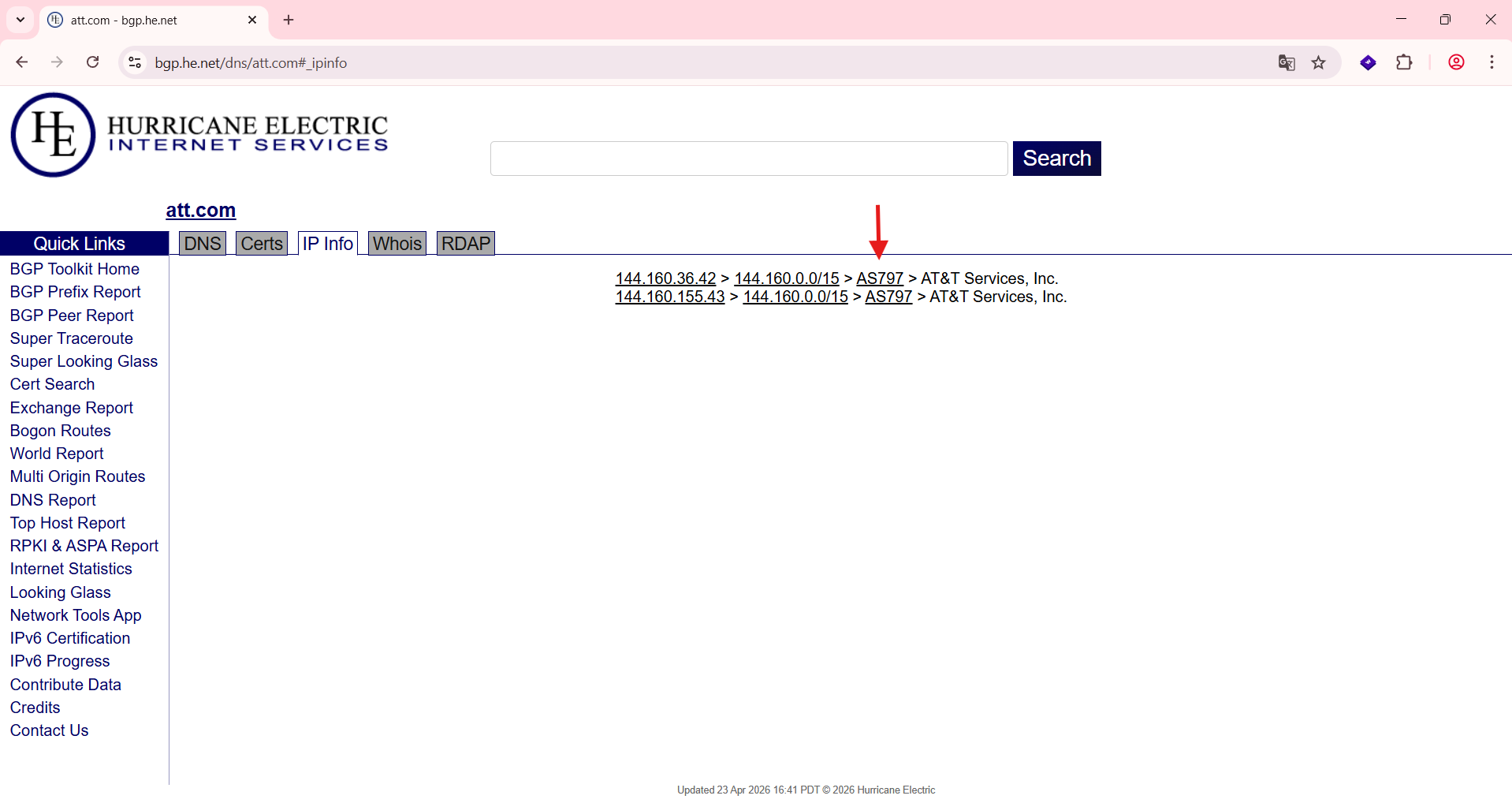
Pulling all possible IPv4 addresses from the AS CIDRs
With the target's ASN in hand, we can start enumerating. First, we pull every network block tied to the AS and dump them into a text file:

Command
whois -h whois.radb.net -- '-i origin AS-NUMBER' | \\
  grep -Eo '([0-9.]+){4}/[0-9]+' > ranges.txt
Port scanning with masscan
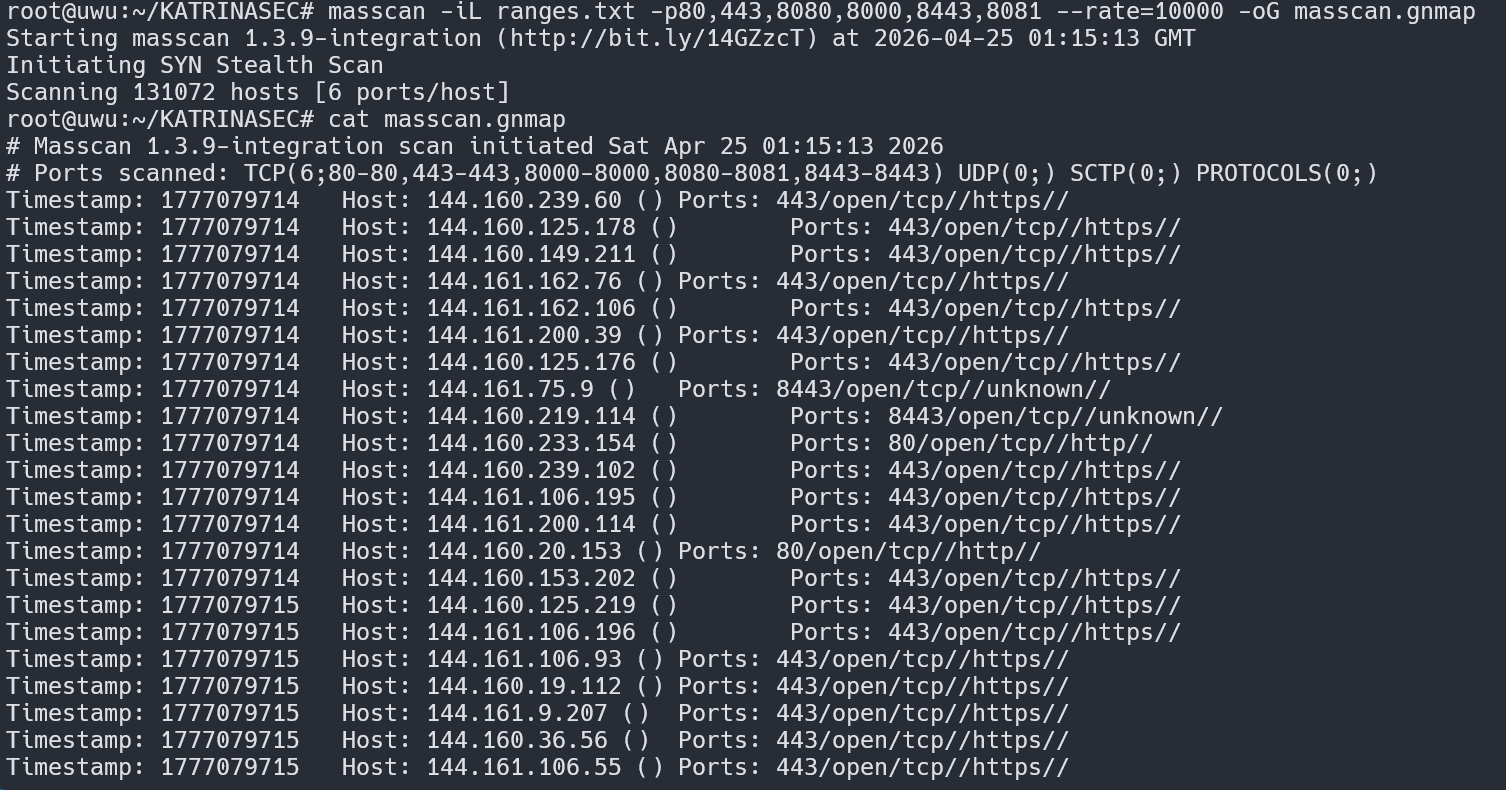
With the CIDRs ready, we can fire up a scan looking for the typical http and https ports across every possible IPv4 address in those ranges:
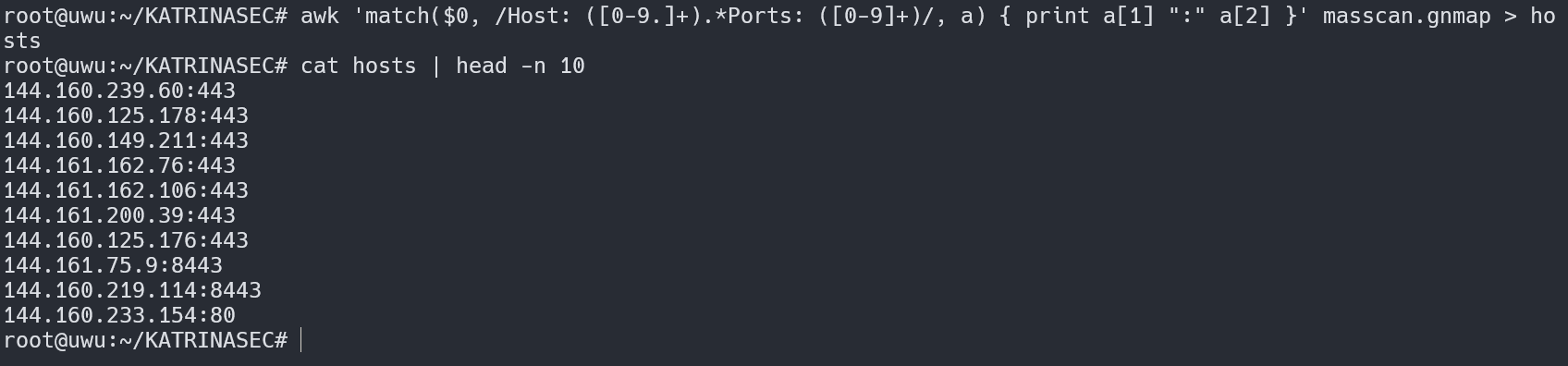
We'll use awk to extract just the addresses:
Commands:
masscan -iL ranges.txt -p80,443,8080,8000,8443,8081 --rate=10000 -oG masscan.gnmap

awk '/Host: / {print $4}' masscan.gnmap > hosts
Turning numbers into names
Now that we have a list of live, reachable hosts, we can work with them from two angles: numbers (IPv4) and names (DNS). There are different ways to perform a reverse lookup and pull a hostname out of an IP — here we'll use dnsx:
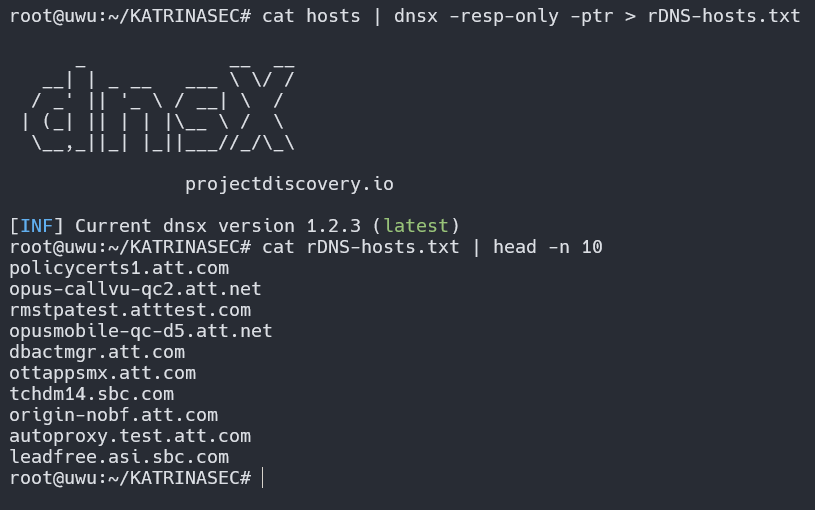
Command:
cat hosts | dnsx -resp-only -ptr > rDNS-hosts.txtWhat now?
Recon is just one stage of the process. There's no point in collecting data if you don't use it well. Sensible next steps:
- Try to fingerprint specific technologies
- Look for hosts running known-vulnerable software
- Run probing, content discovery, etc.
Heads up!
The tests above were performed in an environment that explicitly allowed this type of activity. Always get authorization before running any of this against a target.
Keep learning and hacking like a hurricane.
Connect with the author for networking and more technical content: LinkedIn | X/Twitter
Is your infrastructure really protected?
Don't wait for a real attack to expose your gaps. Schedule a consultation with KATRINASEC.
Request a contact